


Thinking about switching from Userlytics to another user testing tool? We compared 9 alternatives to Userlytics offering easy and fast user testing.
So, you came here looking for alternatives to Userlytics that will really help you to take your user testing to the next level?
Userlytics is a user experience optimization platform with a state-of-the-art qualitative and quantitative set of user testing and usability testing capabilities coupled with a worldwide participant panel. It was founded in 2009 by Alejandro Rivas-Micoud.
What makes Userlytics special compared to other user testing tools?
Userlytics is the first UX research service to offer picture-in-picture (webcam view + screen and audio recording), skipping logic for qualitative unmoderated usability testing. Additionally, Userlytics offers advanced quantitative tools such as card sorting & tree testing fully integrated with your qualitative usability tests.
Userlytics also offers state-of-the-art features for user testing tools like access to a global pool of B2B and B2C participants, different kinds of tasks ranging from verbal tasks, multiple choice and special types of questions like System Usability Scale (SUS), Net Promoter Score (NPS) or Single Easy Question (SEQ)
Optionally, with senior UX Consultants in Madrid and the US, Userlytics also offers UX consulting based professional services like a usability report with actionable recommendations.
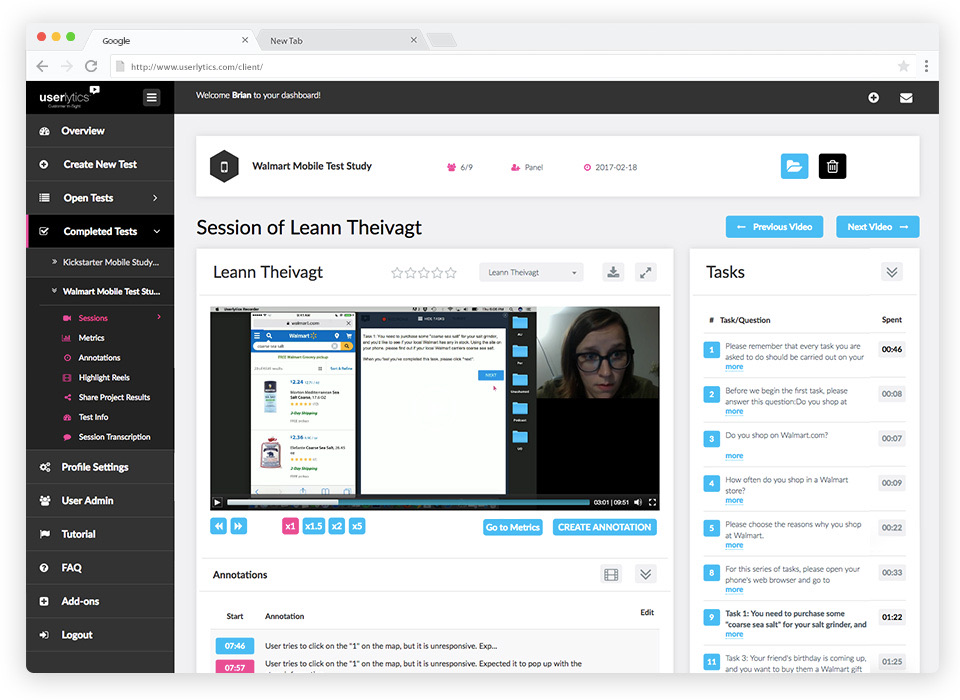
But Userlytics isn’t for everyone.
With 5 different options, Userlytics’ pricing model can be overwhelming at first. Project Based studies are custom-quoted per session (minimum 5 sessions), and the Enterprise plan runs $34 per session (as low as $30 per session with annual volume).
If you’d rather have unlimited testing on a flat monthly rate, you’re looking at Self-Recruitment Premium from $699/month or Advanced from $999/month, both billed annually, which is at the more expensive end of user testing services. Limitless is a custom quote:
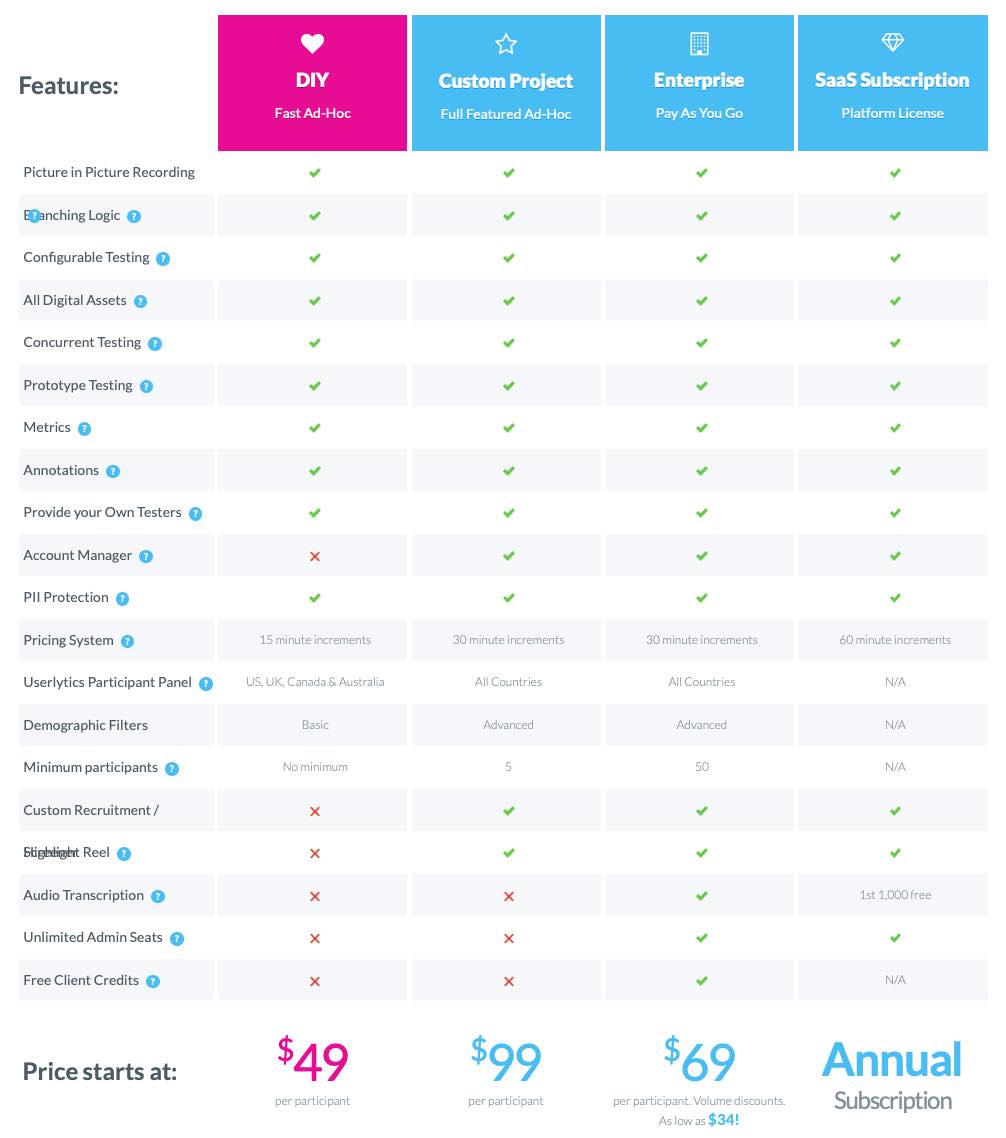
Furthermore, people find fault with the depth of insights the tool provides. The data it collects on its own is quite limited, as are data visualizations. Some of the reviews also criticized the interface of the website.
“I dislike how challenging the interface itself can be.”
The Best Rated Userlytics alternatives
Knowing that some companies might want to get more insights and data when they’re user testing, we’ve put together the following list of the best available Userlytics competitors and alternatives:
Without further ado, let’s take a look at the six best Userlytics competitors:
Start testing in minutes and get results within hours. Tap into our pool of 180k+ testers and watch videos of users interacting with your product on their devices. Discover what’s working for your product, and what’s not!
Start your free trialUserbrain
Of course we’re going to place our own software at the top of the list. We’d be silly not to, wouldn’t we? If you have the feeling that with Userlytics you don’t get the most out of your user tests, then we’ve got your back!
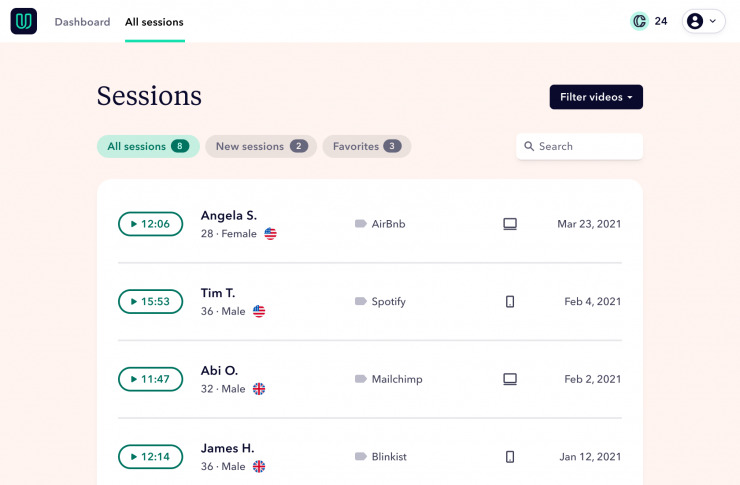
Pros of Userbrain compared to Userlytics
Userbrain offers a similar feature set as the Userlytics user test software, but with added perks, such as:
- Flexible plans – Starter and Plus are billed monthly and can be canceled anytime; Flex is billed annually if you'd rather set your testing budget once a year.
- Fast results – You’ll receive user test results within hours.
- AI user testing – Analyze user tests in a matter of seconds with Userbrain’s powerful AI assistant. No more note-taking!
- Auto-create test tasks: Describe what you want to test in plain language and generate the tasks and questions instantly.
- Ask Userbrain: Ask plain-language questions about your results right in the dashboard.
- MCP Integration: Connect Userbrain to Claude, ChatGPT, or other AI tools and query your test results directly from your AI tool of choice.
You can create a free account and even get your first test free of charge.
Cons of Userbrain compared to Userlytics
Userbrain is fresher on the market, which makes its feature set more limited compared to Userlytics.
- Fewer quantitative metrics – Compared to Userbrain, Userlytics offers more sophisticated reporting on quantitative metrics like time on task, SUS, NPS, or SUPR-Q.
Userbrain’s pricing in comparison to Userlytics
Userbrain offers a genuine 30-day free trial with full feature access, no credit card required. After that, plans start at $49/month. Userlytics' Enterprise option runs $34 per session (as low as $30/session with annual volume), while its flat-rate plans start at $699/month. For teams testing regularly, Userbrain's flat monthly rate works out far cheaper than Userlytics' flat-rate plans; for occasional, low-volume testing, Userlytics' per-session pricing may come out lower.
- 30-Day Free Trial: Sign up and get 2 panel testers, 5 sessions with your own users, and access to all testing and analysis features, no credit card needed.
- 100% Satisfaction Guarantee: If unsatisfied with a user test, Userbrain will find you a new tester and refund your test credit for the inconvenience.
- Starting at just $49 / month: Looking to start user testing without breaking the bank? Userbrain’s Starter plan gets you 3 panel testers and 1 test setup a month, for you and 1 team member.
- Plus – $249 / month: 10 panel testers and 3 test setups a month, for you and 3 team members.
- Flex – from $1,100 / year: 30 testers a year to start, with the option to scale up allowances or buy additional testers on demand, plus unlimited test setups and team members.
- No Sales Call Needed: Starter, Plus, and Flex are all self-service and can be booked within a couple of minutes; only Enterprise pricing requires a quick chat.
Here’s what one Userbrain reviewer says about the pricing options:
“The best thing about Userbrain is the pricing structure. It’s also affordable for companies who are testing in small volumes”
Lookback
When you already have access to a pool of user test participants and don’t need a tool that provides access to an existing database of testers, Lookback is a great and more affordable alternative to Userlytics.
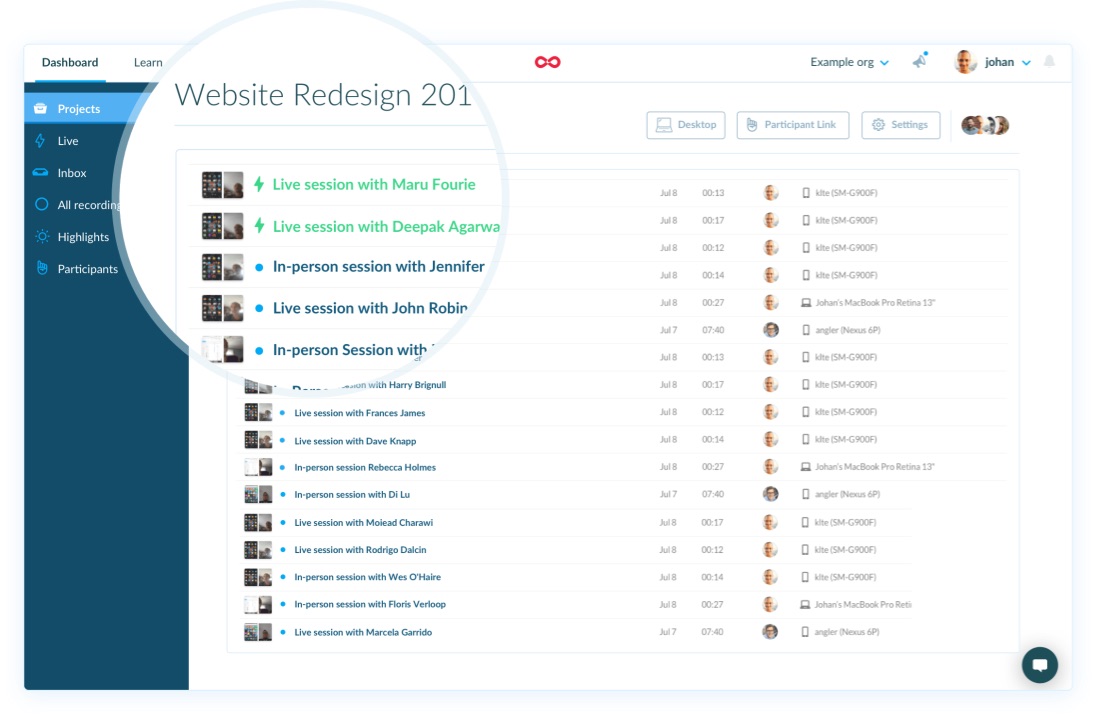
Pros of Lookback compared to Userlytics
- Unlimited participants – Lookback doesn’t cap recordings or charge for participants. You can do as much research as you need to.
- Remote moderated testing – Lookback allows you to directly talk with participants – live and face-to-face in moderated user tests.
- Broadcast your research – You can use the “Live” feature to broadcast your research to your team. Invite them to watch and gain insights.
Cons of Lookback compared to Userlytics
- Smaller built-in panel – Lookback now offers participant recruitment (powered by User Interviews), but it’s a newer addition than Userlytics’ established panel, and included sessions are limited by plan.
- No task steps or skipping logic – Userlytics uses skipping logic so that you can redirect participants to certain tasks based on the answers of a previous question, while with Lookback the participants see the instructions all at once.
- No automated transcriptions – Userlytics offers an AI generated searchable transcription while with Lookback you have to take notes yourself.
Looback’s pricing in comparison to Userlytics
- All Lookback Subscriptions are billed annually.
- Lookback’s Freelance Plan costs $299/year, including 10 sessions and 1 panel recruitment (extra recruits $49 each).
- The Team Plan costs $1,782/year, including 100 sessions and 10 panel recruitments (extra $38 each).
- The Insights Hub Plan costs $4,122/year, including 300 sessions and 30 panel recruitments (extra $31 each).
- There is also a custom Enterprise Plan (extra panel recruits $25 each).
- There is a 60-day free trial – no credit card required.
UsabilityHub
UsabilityHub allows you to run summative studies like first-click and five-second tests, design surveys or preference tests of multiple design solutions. You will receive written answers and can either recruit your own participants or use UsabilityHub’s integrated participant panel.
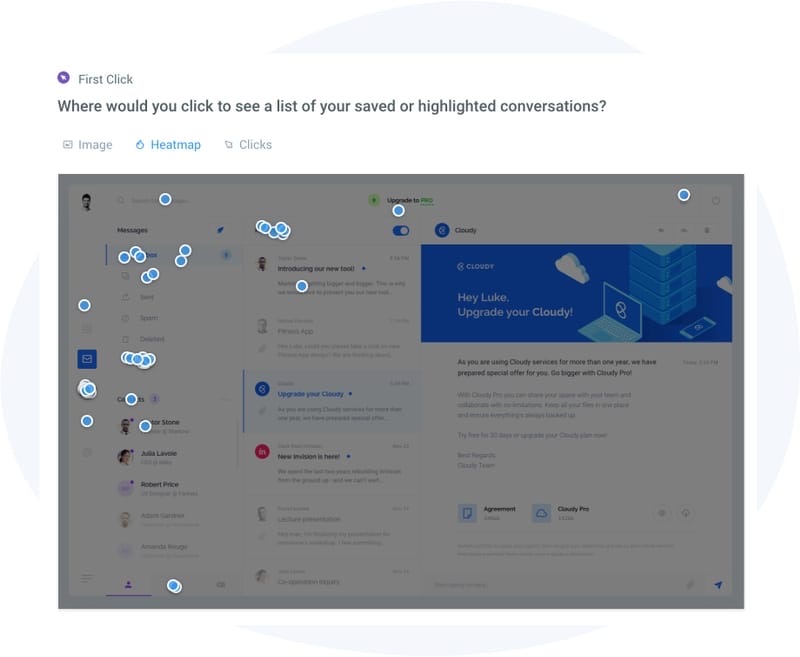
Pros of UsabilityHub compared to Userlytics
- Starting at $1 per answer – If you don’t need a video and audio recording of your tests and are more interested in running summative studies, you can do so quickly and at a convenient price by using UsabilityHub’s participant panel.
- Full CSV export – UsabilityHub has a feature to export the raw test data as a CSV file, which allows you to run in-depth analyses with any tool of your choice.
Cons of UsabilityHub compared to Userlytics
- No screen and audio recording – Userlytics provides the screen and audio recording of a participant’s session. UsabilityHub only delivers written answers to your research questions, which makes it harder to understand the real thoughts of your participants.
- No prototype testing – While UsabilityHub supports running tests of wireframes, you can’t test interactive prototypes built in e.g. InVision, Sketch or Figma.
- No multisite testing – You can’t send participants to another website as post of your test
UsabilityHub’s pricing in comparison to Userlytics
UsabilityHub’s pricing has two separate components:
- A limited free plan is available
- The Growth plan starts at $199/mo, or $1,990/year (about $165.83/month billed annually)
- Enterprise pricing is custom
- Paying for responses from the UsabilityHub panel is billed separately, starting at around $1 per credit
UserTesting
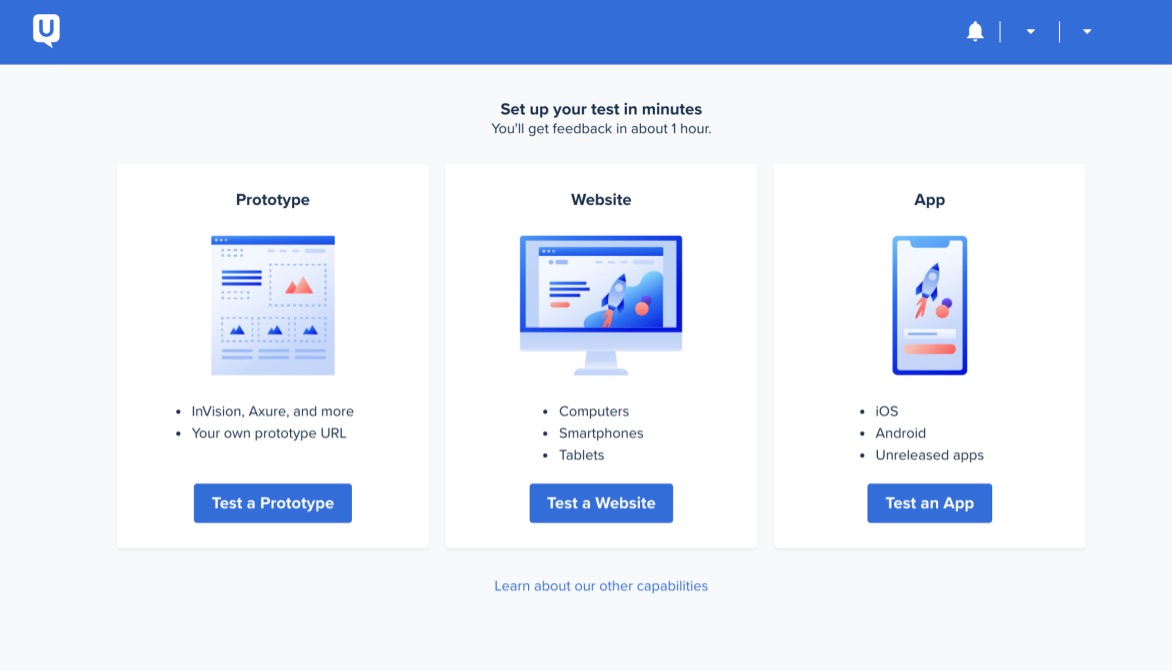
UserTesting is the first unmoderated user testing tool ever and therefore had the time to build up one of the largest participant networks in the industry, spanning more than 60 countries. This allows customers to receive very fast feedback, with access to a very sophisticated platform with lots of possibilities to run and analyze user tests.
Pros of UserTesting compared to Userlytics
- Fast results – UserTesting's participant panel spans more than 60 countries, one of the broadest in the industry, allowing you to get feedback very fast.
- Live Conversations – With UserTesting you can connect with customers in real-time.
Cons of UserTesting compared to Userlytics
- Custom pricing only – UserTesting doesn’t publish numeric pricing for its Advanced, Ultimate, or Ultimate+ plans, so you’ll need to request a quote, and enterprise contracts can run well into five figures annually.
- No free trial – Even though the price of UserTesting is very high, there’s no free-trial to find out if it works for you. In comparison, with Userlytics you get a free demo.
UserTesting pricing in comparison to Userlytics
UserTesting doesn’t publish pricing for its Advanced, Ultimate, or Ultimate+ plans. You’ll need to contact their sales team for a quote, whereas Userlytics’ Enterprise plan is listed at $34 per session (as low as $30/session with annual volume).
UserZoom
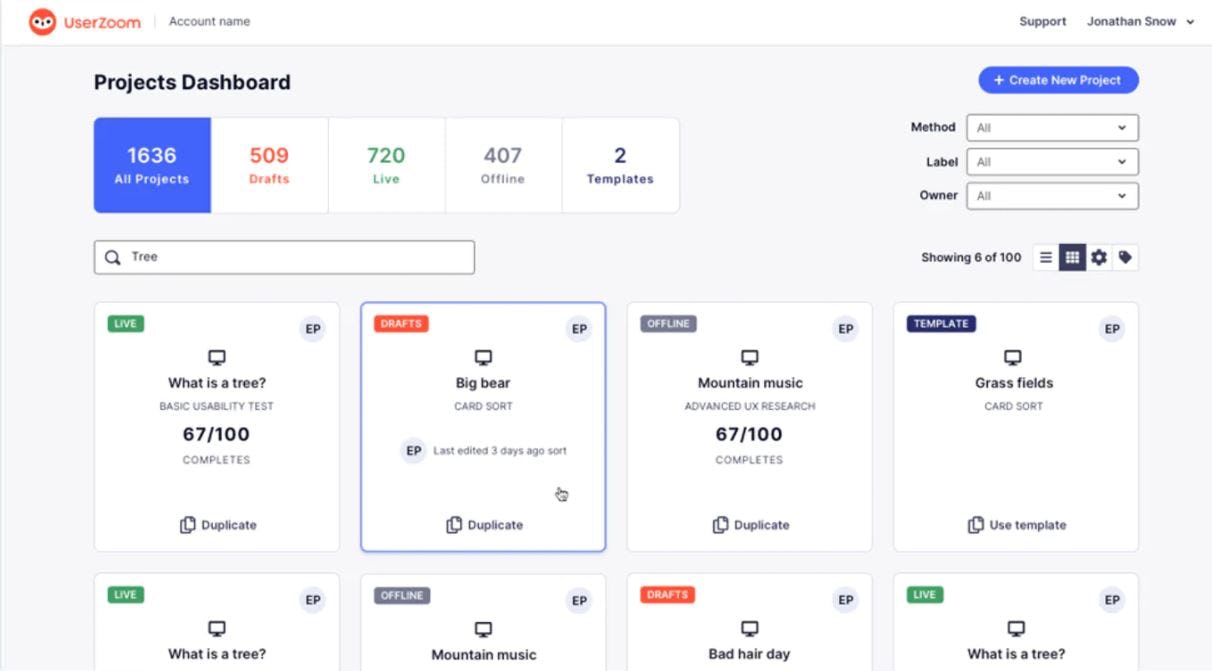
UserZoom offers moderated and unmoderated user testing. The UserZoom brand has since merged into UserTesting, though the UserZoom platform itself remains active for existing customers.
Pros of UserZoom compared to Userlytics
- Moderated recruiting – You can tell UserZoom your exact test participant criteria and screening questions and they will recruit testers for your moderated research studies in 5 business days or less.
- Bring your own testers for free – All monthly plans allow you to use your own participants for your study at no extra cost.
- Moderated user tests – UserZoom supports moderated and unmoderated user testing on desktop and mobile devices.
Cons of UserZoom compared to Userlytics
- Download of tests not available – UserZoom doesn’t allow you to download videos while Userlytics provides you this feature.
- Contracts are billed annually – You need to pay for a year upfront.
UserZoom’s pricing in comparison to Userlytics
UserZoom no longer publishes standalone pricing. Since the brand merged into UserTesting, existing customers manage pricing and contracts through their UserTesting account manager, while new customers are directed to UserTesting’s Advanced, Ultimate, or Ultimate+ plans.
Loop11
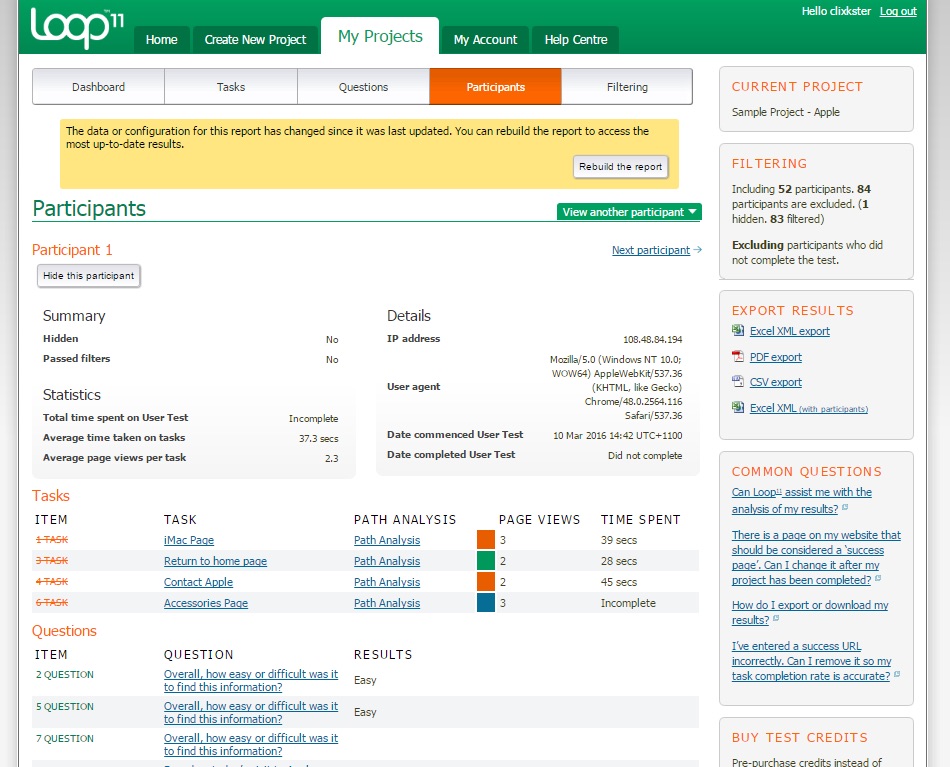
Loop11 is a useful UX tool for benchmarking a site’s KPIs, finding out where exactly users are running into an issue and gathering quantitative data on UX improvements.
Pros of Loop11 compared to Userlytics
- 5 Second & First Click Tests included – Compared to Userlytics, Loop11 also supports the recording of qualitative data like heatmaps, clickstreams and path analysis
- Support for accessibility user testing – Loop11 customers can now tap into the AccessWorks database for all accessibility testing needs, saving time that would otherwise be spent on recruiting participants for face-to-face testing.
Cons of Loop11 compared to Userlytics
- No included recruitment – Loop11 doesn’t include participant recruitment in its platform plans by default, so bring-your-own-testers is the norm, though recruitment can be arranged separately.
- No free demo – Compared to Userlytics, Loop11 doesn’t have a free demo to test if the tool works for you.
- No editing after a test has been launched – You can’t edit a test after publishing it; you can only delete it completely. Thus, you should double check the test in the preview mode before allowing it to go live.
Loop11’s pricing in comparison to Userlytics
Loop11 charges a monthly fee for the usage of the platform, and participant recruitment isn’t included by default, as you’ll typically provide your own users (recruitment can be arranged separately).
- Rapid Insights starts at $179/month billed annually, or $199/month billed monthly.
- Pro costs $358/month billed annually, or $399/month billed monthly.
- Enterprise pricing is custom.
- Plans are cheaper when paying annually.
- All plans include a 14-day free trial.