


When you decide to start user testing, one of the first questions that comes up is: who should we test with? You have a target audience. You want feedback from people in that audience. So naturally, you start thinking about filtering by age, gender, income, or job title.
It feels like the right call. The data says otherwise.
Research by Jeff Sauro at MeasuringU found that whether your participants match your demographic profile accounts for only around 3% of variation in test results. The quality of your actual product accounts for about 30%. You'll get far more value from finding real problems in your product than from finding the perfect participant.
Here's what to focus on instead.
What is demographic targeting in user testing?
When you set up a user test, one of the first decisions you make is who should take it. With remote unmoderated testing (where participants complete tasks on their own and you watch the recordings), you typically recruit from a panel of testers. The question is how to filter that panel down to the right people.
Demographic targeting means filtering by variables like:
- Age (e.g. 25–34 year olds only)
- Gender
- Income bracket
- Job title or industry
- Education level
- Geographic location
- Device ownership (e.g. iPhone users only)
The instinct is natural. You have a target audience, so you want testers who match it. Test with 28–35 year old women in the US with a college degree and a household income above $75k, and surely you'll get more relevant feedback than testing with just anyone.
That logic is borrowed from marketing, not research. In user testing, it doesn't play out that way.
The "perfect participant" is a myth
The idea behind demographic targeting is that people from your target market will give you better feedback than anyone else. It feels logical. But here's what you're actually doing in a user test: watching how someone behaves when they try to use your product. You're not running a survey. You're not taking opinions. You're observing.
What drives behavior in a test isn't age or income. It's whether someone has used something similar before, and whether they understand the space your product is in. A 50-year-old who uses project management tools every day will behave very differently in a test than a 25-year-old who's never touched one. The demographic profile tells you nothing about that distinction.
For more on why the "right participant" instinct leads teams astray, see our post on the myth of the perfect user test participant.
Six experts, one conclusion: demographics don't predict usability
This isn't a contrarian take. Serious usability researchers have arrived at this conclusion independently, for decades.
David Travis argues that past behavior predicts test performance far better than any demographic profile:
"When faced with a new product or website, a user's past behaviour will predict their performance much more accurately than their demographic profile will. Demographic factors like gender may be important segmentation variables for marketers but they have very little impact on the way someone actually uses a product."
Craig Tomlin, from Useful Usability, draws a sharp line between marketing logic and research logic:
"Demographic clustering is helpful when creating advertising or marketing communications that seek to reach a specific target audience, with a specific target message. Recruiting usability participants however has little to do with age, or profession, or even geographic location. Instead, usability testing participants should be recruited based on matching the behaviours, needs relative to specific critical tasks, and a base of knowledge about the topic the user is expected to have."
Jeff Sauro has the numbers to back it up. He lists obsessing over demographics as one of the five most common user research mistakes:
"When it comes to usability testing, we've consistently found that the biggest differentiator in usability metrics is not demographics differences, but whether users have prior experience or are more knowledgeable about a domain or industry."
In a study measuring the effect of prior experience on test results, Sauro found that experience accounted for only around 3% of the difference in scores. Actual product quality accounted for about 30%.
NNG is equally direct: demographic facts "don't usually describe what you should really be focused on."
Christine Perfetti, from Perfetti Media, adds a practical warning:
"When thinking about the right participants to recruit for a study, many teams start by focusing on demographics, such as age, gender, or ethnicity. Unfortunately, in most cases, recruiting for demographics will be one of the least effective ways to find the most appropriate users for your tests."
And Steve Krug, author of Don't Make Me Think, makes the most direct case of all:
"The best-kept secret of usability testing is the extent to which it doesn't much matter who you test. For most sites, all you really need are people who have used the Web enough to know the basics."
Chasing perfect participants makes you test less, not better
Here's the real-world cost: the harder you make recruiting, the less you actually test.
Filtering for a specific demographic profile adds time, friction, and complexity to every round. Teams push back test cycles. They reduce how often they run tests. Sometimes they skip testing altogether because setup feels like too much work.
As Christine Perfetti points out, this completely backfires: instead of getting better data from ideal participants, you get less data from fewer tests. You catch fewer problems, not more.
Better to run three imperfect tests than zero perfect ones.
The one exception: testing with older adults
There is one case where demographics genuinely matter: products used by people 65 and older.
A 2015 study in Applied Ergonomics found that older adults make more errors and take longer to complete tasks than younger participants. More importantly, they tend to rate products as easier to use than their actual behavior suggests. A general participant pool won't surface that gap.
NNG has specific guidelines for testing with older users, and a W3C/WAI literature review explains why: age-related changes in processing speed, memory, fine motor control, and vision create a category of problems that younger users simply don't run into.
If your product needs to work for older adults or users with disabilities, including them in your tests isn't optional. It surfaces problems that no amount of behavioral filtering will find.
For everything else, recruit on behavior.
What to screen for instead
If not demographics, then what? Three things, consistently recommended by every major usability researcher.
Prior experience with similar tools
Has your participant used something like your product before? This is the single most useful filter you can apply. Someone who already has a mental model for how tools in your category work will interact with yours in a way that closely mirrors your real users.
A few examples of what this looks like in practice:
- You're testing a new expense tracking app. Screen for people who already use tools like Expensify, Concur, or even just spreadsheets for expenses. They know what the workflow is supposed to feel like, and they'll notice when yours breaks from it.
- You're testing a design handoff tool. Screen for product designers or front-end developers who regularly work with tools like Figma or Zeplin. Someone who has never done a design handoff won't catch the friction points that matter to your real users.
- You're testing a checkout flow for an online store. Screen for people who shop online at least a few times a month. They have a baseline expectation for how checkout should work, and they'll notice when yours doesn't meet it.
Familiarity with your product's space
Does your participant understand the domain your product operates in? This is different from having used a specific tool. It's about whether they know the territory.
Here's what this looks like:
- You're building a payroll product for small business owners. Screen for founders or operations leads who currently handle payroll, not developers or designers who have never touched it. The domain knowledge is what makes the feedback useful.
- You're testing a legal contract tool. Screen for people who regularly review or sign contracts at work. Someone who has never negotiated a vendor agreement won't notice that your clause library is missing the things people actually look for.
- You're testing an analytics dashboard for e-commerce teams. Screen for people who regularly use data to make decisions, even if they've never used your specific tool. They'll have instincts about what a dashboard should surface, and what yours buries.
Experience with the type of task you're testing
Has your participant performed the kind of action your product is built around? If you're still defining what those tasks are, how to write effective tasks for usability testing is a good starting point.
Some examples:
- You're testing a B2B procurement feature. Screen for people who have evaluated or purchased software for their team in the past year. They know what due diligence feels like, and they'll tell you if yours makes it harder than it should be.
- You're testing an onboarding flow for a new SaaS product. Screen for people who have recently signed up for and started using a new tool at work. They have a fresh memory of what good onboarding feels like, and what made them give up on a product in the past.
- You're testing a team scheduling feature. Screen for managers or team leads who regularly coordinate schedules across multiple people. Someone who has never had to schedule around five calendars at once won't feel the pain points the same way.
How to set up screening in Userbrain
Userbrain's screening questions let you filter participants before they start your test. You write a short question, set the answer that qualifies someone, and only participants who pass get through to the test itself.
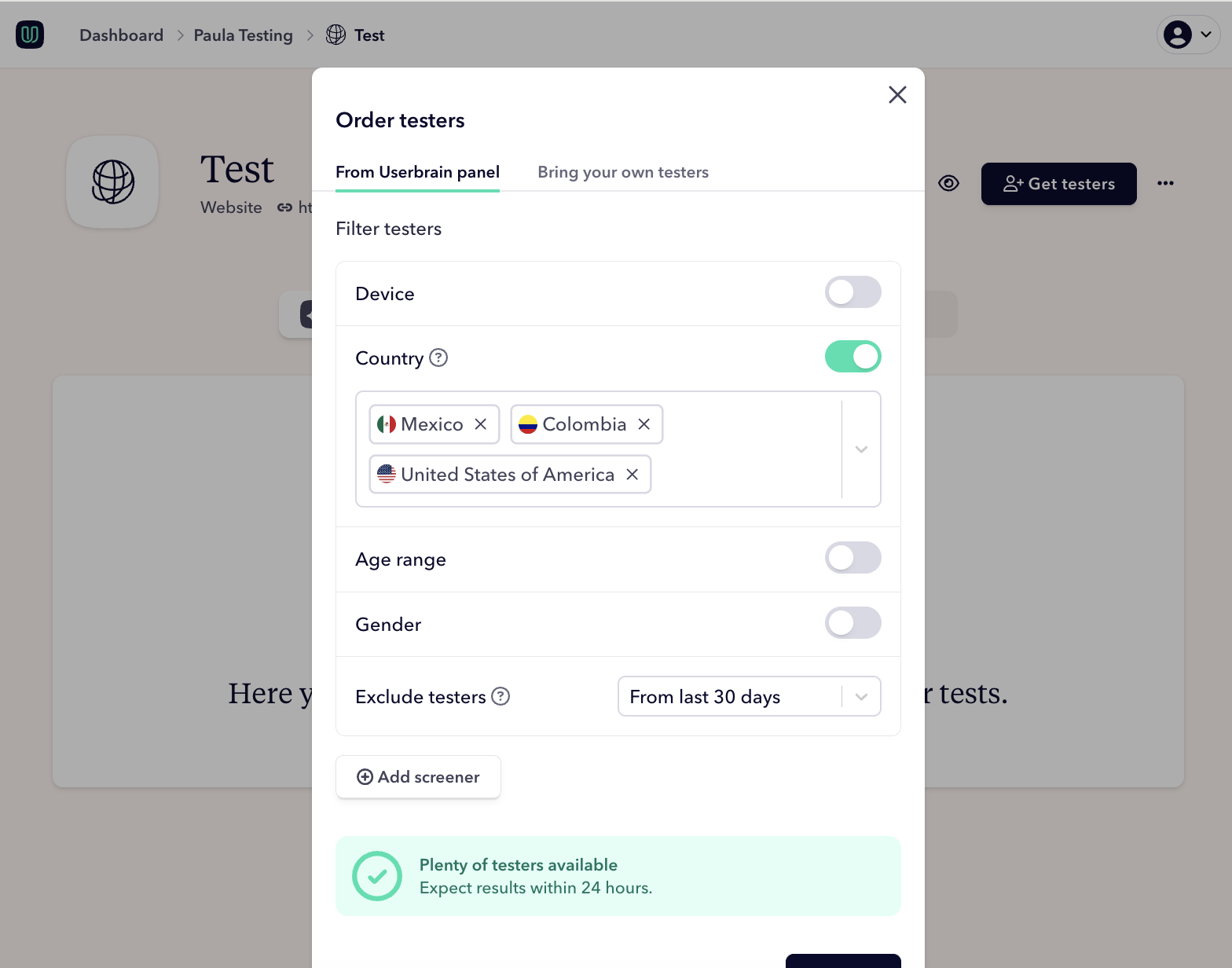
When creating your test, add a screening question for each of the criteria above. Keep questions simple and factual — yes/no or multiple choice works best. Ask one thing per question. Something like "Do you currently use project management software at work?" with a yes/no answer is more reliable than asking someone to describe their workflow. Participants who answer the qualifying option move forward; everyone else is screened out automatically.
You don't need more than two or three screening questions. If your screening is longer than that, it's a sign you're back to chasing the perfect participant.
And if you're just getting started? Don't overthink the participant count either. Five users is typically enough to find the most significant problems. Run the test. You'll find things. That's the point.
Userbrain's pool of 150,000+ testers means you can get real feedback fast, without the recruiting overhead. Or invite your own testers if you want participants who already know your space. Start your free trial →
